The 2026 Guide to Automated Content Publishing to Squarespace

The 2026 Guide to Automated Content Publishing to Squarespace
You have 25 unpublished blog posts sitting in a Google Doc. Your Squarespace editor is open, but the thought of manually copying, formatting, and scheduling each article makes you want to close the tab. You are not alone. This pain point makes automated content publishing to Squarespace the most important workflow upgrade for content teams in 2026. The solution bridges the gap between content creation and CMS publishing without requiring a developer or a second mortgage. Findably is one of the newest and most interesting solutions, targeting not just SEO visibility but also GEO and AEO visibility—combining publishing automation with AI engine tracking in a single pipeline.
Why Manual Blog Posting Hurts Your SEO & GEO Rankings
Manual blog posting does not just waste time. It actively damages your search visibility by creating an inconsistent content pipeline. When you copy and paste articles into Squarespace, you introduce formatting errors, broken internal links, and inconsistent scheduling. A disconnected content pipeline is the enemy of SEO velocity. Every hour you spend manually formatting a blog post is an hour you are not spending on strategy, content creation, or performance analysis.
The math is brutal. Manual posting creates three to five hours of wasted work per week per site. For an agency managing ten client sites, that is fifty hours of pure administrative drudgery each week. But the hidden cost is worse: inconsistent publishing cadences tell search engines that your site is stale. Google and AI engines like ChatGPT and Perplexity track freshness signals. When you publish sporadically—three articles one week, zero the next—your content velocity drops, and so do your rankings.
Does Squarespace support bulk imports? Not natively. The platform's editor is beautiful, intuitive, and perfect for a single article. But it was never designed for scale. Squarespace intentionally prioritizes design simplicity over bulk content management. That is fine for a portfolio site. It is a liability for a content-driven business. GEO compounds the problem: AI engines reward sites that publish consistently because consistency signals authority and reliability. Manual posting gives you neither.
What Is Automated Content Publishing to Squarespace?
Automated content publishing to Squarespace uses a connected platform to generate, format, and schedule articles directly to your Squarespace blog without manual intervention. Instead of copying text from a Google Doc, you connect your content tool to Squarespace via an API, and articles flow automatically from creation to publication.
Think of it as a conveyor belt for your content. Your tool handles keyword research, article generation, formatting, image placement, meta descriptions, and scheduling. You handle strategy, review, and approval. The squarespace blog automation tool connects these two worlds, making it possible to publish twenty articles in the time it used to take to publish one.
Is it safe to automate Squarespace publishing? Yes, when done correctly. When done right, automation is as safe as manual posting—and more reliable. API-based tools follow Squarespace's rate limits and content formatting rules. They do not bypass security protocols or spam your site. Findably, for example, wraps the entire process in a human-review step before anything goes live. Automation is as safe as manual posting—and far more reliable because it eliminates human error from the formatting and scheduling process.
How to Use the Squarespace API for Bulk Article Scheduling
The Squarespace API allows external platforms to communicate directly with your site, enabling bulk article scheduling without manual entry. Think of the API as a direct phone line from your content tool to your Squarespace site. Instead of you dialing—opening the editor, creating a post, pasting text, formatting headings—the API does it in milliseconds.
The API handles everything: creating new posts, setting publication dates, formatting headings and subheadings, adding images and alt text, applying tags and categories, and updating meta descriptions. It follows the same rules your manual workflow follows, but it executes them instantly and without typos. Squarespace API content scheduling transforms what was a tedious manual process into a seamless automated workflow.
Do you need coding skills to use the Squarespace API? Not if you use a platform like Findably that wraps the API in a no-code interface. You configure your connection once—typically by generating an API key from your Squarespace settings and pasting it into Findably—and the tool handles the technical communication from there. No-code platforms like Findably abstract the API complexity so that marketing managers, not developers, control the publishing pipeline.
A practical note: initial setup takes about thirty minutes. You need to generate the API key, configure your content formatting preferences, and test a single article. After that, publishing becomes a single click. The API is not magic, but it is the closest thing to magic that content teams can get without hiring a developer.
A Step-by-Step Workflow (Using Findably)
If you are wondering how to bulk publish articles to Squarespace, the process breaks down into five repeatable steps that take under ten minutes after initial setup. Here is exactly how a marketing manager would use Findably to automate their Squarespace blog.
Step 1: Keyword research and content generation. Findably starts with keyword intelligence. You input your target topics, and the platform generates SEO-optimized articles with humanized tones. The content includes proper heading structure, internal link suggestions, and meta descriptions formatted for your Squarespace template.
Step 2: Human review and tone adjustment. This is the most critical step. Never skip the human review step. Google and AI engines penalize entirely automated, unedited content. Spend five minutes reading each article. Adjust the tone to match your brand voice. Add personal anecdotes or industry insights that an AI cannot generate. This humanization step transforms "generated content" into "published authority."
Step 3: Map formatting and meta fields. Findably automatically maps your article's headings, images, alt text, and meta descriptions to Squarespace's content structure. You do not need to adjust formatting for each post. The platform knows that your Squarespace theme uses H2 for section headers and H3 for subpoints, and it formats accordingly.
Step 4: Schedule or publish instantly. Can you schedule posts for a month in advance? Yes. Findably supports scheduling individual articles or entire batches weeks ahead. You set the calendar, and the platform pushes articles to Squarespace at your specified dates and times. The API handles the timing precisely.
Step 5: Track performance and GEO visibility. After publishing, Findably monitors how your content performs in both traditional search and AI-generated answers. This feedback loop tells you which topics resonate and which need adjustment.
Automating GEO: A Checklist for Your Squarespace Blog in 2026
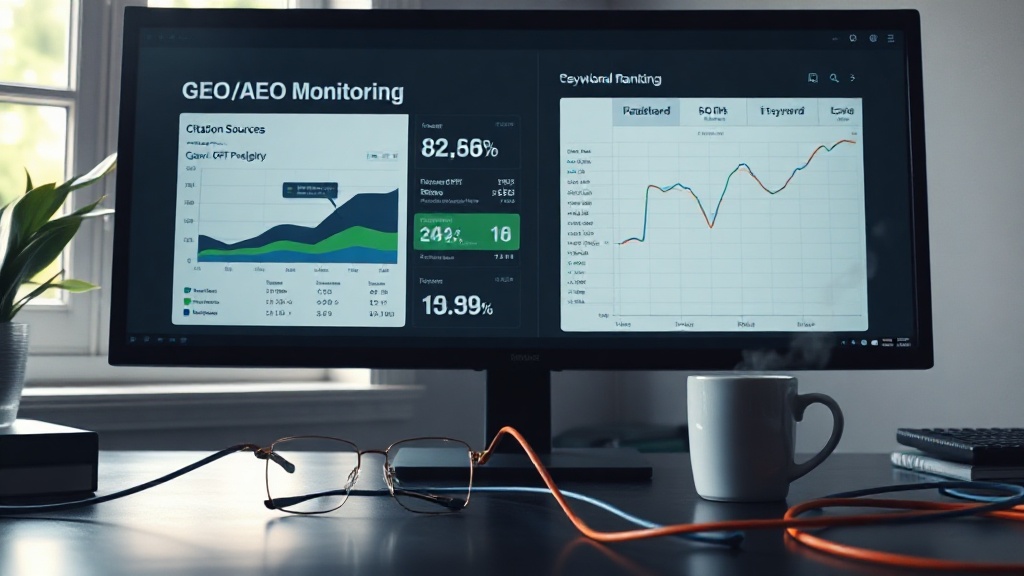
GEO monitoring your Squarespace site tracks how often your automated content gets cited by AI engines—and it is now non-negotiable for visible brands in 2026. Generative Engine Optimization has overtaken traditional SEO as the primary visibility strategy for many niches. If your content does not appear in ChatGPT, Perplexity, or Google AI Overviews, you are invisible to a growing portion of your audience. GEO monitoring your Squarespace site is now non-negotiable for maintaining competitive visibility in search.
Use this checklist to ensure your automated publishing supports GEO:
Track AI citation frequency. Findably's GEO monitoring shows how often your content appears in AI-generated answers. If your citation rate drops, your publishing cadence or content structure needs adjustment.
Maintain a minimum publishing cadence. Three articles per week is the baseline for consistent freshness signals. Five or more articles per week accelerates GEO visibility significantly.
Optimize for question-based queries. AI engines prioritize content that directly answers user questions. Structure your H2s and H3s as questions or answers to common queries in your niche.
Monitor for AI engine citations. Check which of your articles appear in AI summaries. If a high-performing SEO article never appears in GEO answers, its structure or authority signals need improvement.
What is GEO monitoring for Squarespace? GEO monitoring tracks how often your Squarespace blog content is cited or summarized by AI engines like ChatGPT, Perplexity, and Google AI Overviews. Automated publishing without GEO tracking is like driving a car without a dashboard. You are moving, but you have no idea how fast or in which direction. 2026 is the year GEO overtook traditional SEO as the primary visibility strategy for many niches.
Squarespace vs. Other CMS: When Automation Makes Sense
Squarespace is beautiful and easy to build a site on. Its native blogging features are limited. Understanding this tradeoff helps you decide when automation makes sense versus when you should consider switching platforms.
| Feature | Squarespace | WordPress |
|---|---|---|
| Bulk import support | No native support; requires API connection | Yes, via CSV import plugins or WP-CLI |
| API maturity | Functional but limited for bulk operations | Mature REST API with extensive documentation |
| Design quality | Excellent out-of-the-box templates | Varies by theme; requires custom work |
| Maintenance | Low—hosting and security managed | High—requires updates, plugins, security |
| GEO tracking integration | Available via third-party tools like Findably | Available via plugins and custom solutions |
Squarespace excels at design. Its templates are polished, its editor is intuitive, and its hosting is reliable. But its native content management is intentionally streamlined, which means it lacks the bulk publishing features that WordPress users take for granted. You cannot import twenty CSV files. You cannot schedule bulk imports from a third-party tool without an API connection.
WordPress, by contrast, is fully customizable. Its REST API is mature, and tools like WP CLI allow command-line bulk imports. But WordPress requires ongoing maintenance, security updates, and plugin management. It is powerful but demanding.
When does automation make sense for Squarespace? Three scenarios: you are publishing five or more articles per week, you are managing multiple client sites, or you need GEO tracking alongside publishing. In these cases, an automation tool bridges the gap between Squarespace's design strengths and its publishing limitations.
If you are migrating from WordPress, tools like Findably can automate the import blog posts from wordpress to squarespace process just as easily. The same pipeline that publishes new articles can import existing content with preserved formatting, internal links, and meta data. With automation, Squarespace becomes a publishing powerhouse without losing its trademark design simplicity.
Frequently Asked Questions
Can I schedule Squarespace blog posts in advance using automation?
Yes. Platforms like Findably allow you to schedule individual articles or entire batches weeks or months ahead. The API handles publication timing precisely, ensuring your content goes live at your specified dates and times.
Is automated content publishing to Squarespace safe?
Yes, when done through API-based tools that follow Squarespace's rate limits and formatting rules. These tools do not bypass security protocols or spam your site. For example, Findably includes a human-review step before any content goes live, eliminating the risk of low-quality or error-filled posts.
Do I need coding skills to automate publishing to Squarespace?
No. No-code platforms like Findably wrap the Squarespace API in an intuitive interface. You generate an API key from your Squarespace settings, paste it into Findably, and configure your preferences—no development skills required.
How often should I publish to Squarespace for good GEO visibility?
Industry research suggests three articles per week is the baseline for consistent freshness signals. Five or more articles per week can accelerate GEO visibility significantly by signaling authority and reliability to AI engines.
Can automation help with migrating content from another CMS to Squarespace?
Yes. Tools like Findably can automate the import of existing content from WordPress or other platforms, preserving formatting, internal links, and meta data. The same pipeline that publishes new articles can handle bulk imports.
What is GEO monitoring and why does it matter for my Squarespace site?
GEO monitoring tracks how often your content appears in AI-generated answers from ChatGPT, Perplexity, and Google AI Overviews. It matters because if your content does not appear in these engines, you are invisible to a growing portion of your audience.
Conclusion
You do not need to choose between Squarespace's beautiful design and the power of automated content publishing. Automated content publishing to Squarespace is not a compromise—it is an upgrade that saves hours each week while improving your SEO and GEO visibility. The right squarespace blog automation tool connects content creation, publishing, and performance tracking in a single workflow. You don't need to choose between Squarespace's beautiful design and the power of automated content publishing—with the right tool, you get both.
Findably is one of the newest and most interesting solutions because it combines publishing automation with AI visibility tracking. You do not just publish faster. You know exactly how your content performs in both traditional search and generative engine answers. That feedback loop makes every article better than the last.
Stop copying and pasting. Stop wondering whether your content is visible to AI engines. See how Findably can automate your Squarespace blog and track your AI visibility—start free at findably.app. Your twenty-five unpublished posts are ready to go live.