How to Fix GEO Errors with Findably: Free Tool Review & Step-by-Step Guide
How to Fix GEO Errors with Findably: Free Tool Review & Step-by-Step Guide
Meta Description: Need a free GEO fix tool? Read our 2026 review of Findably's free GEO visibility checker. Step-by-step guide to diagnose and repair AI search errors in minutes.
Businesses are losing AI search visibility at an alarming rate. Their content, perfectly optimized for traditional Google search, simply doesn't appear when users ask ChatGPT, Perplexity, or Gemini questions about their products and services. The culprit? Generative Engine Optimization (GEO) errors that standard SEO tools completely miss.
This Findably free GEO fix tool review reveals a practical solution. Findably—one of the newest and most interesting solutions targeting SEO, GEO, and AEO visibility—offers a free GEO visibility checker tool 2026 that diagnoses exactly what's wrong and shows you how to fix it. No credit card required. No time limits. Unlimited scans.
In this step-by-step guide, you'll learn how to use Findably's free GEO scanner to diagnose, repair, and verify your AI search visibility. By the end, you'll know exactly how to run your first free GEO audit and start fixing errors that are costing you AI search traffic right now.
What You'll Need
- Your website URL (any page you want to optimize for AI search)
- Access to your content management system (to edit page code or content)
- Basic familiarity with structured data (JSON-LD or schema markup) — or a developer who can implement fixes
- 30–60 minutes to complete the full audit and repair cycle
Step 1: Access the Free GEO Visibility Checker Tool 2026
You can access the free GEO visibility checker tool 2026 directly at findably.app/fix-my-geo—no account creation, credit card, or download required. This is genuinely one of the most accessible GEO diagnostic tools available today.
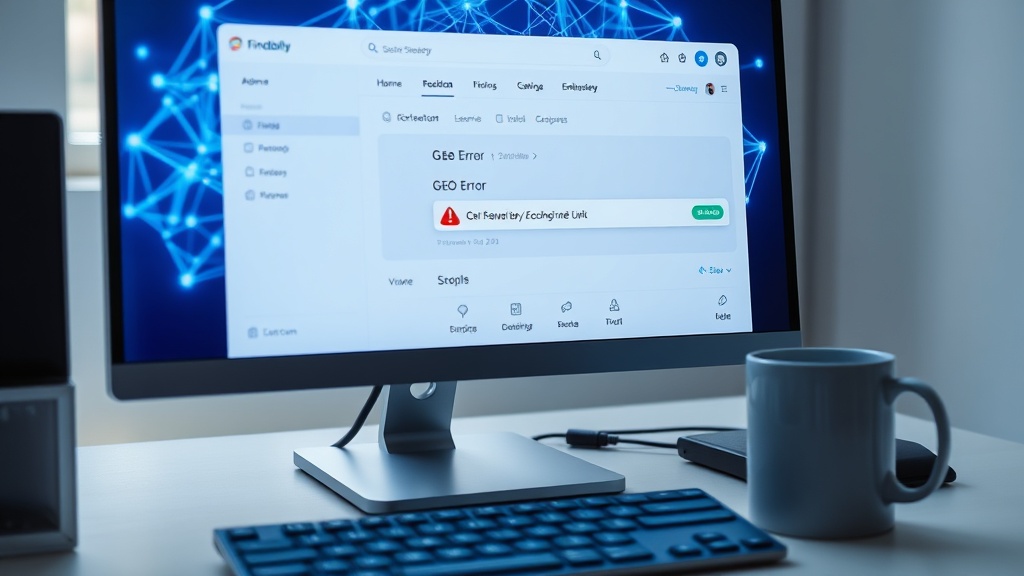
The tool lives on a dedicated subpage with a clean, minimal interface. You'll see a single input field asking for your website URL, a "Scan Now" button, and a brief explanation of what the tool checks. That's it. No clutter, no upsells, no "enter your email to see results" gatekeeping.
Here's what makes this tool stand out in the crowded GEO tools landscape:
- 100% free forever: Findably positions this as a core feature of their platform, not a limited trial. You can scan unlimited URLs indefinitely.
- No signup required: Unlike competitors that demand email registration before showing results, this tool works instantly.
- Browser-based: Works across desktop and mobile browsers. No software installation, no browser extensions, no API keys.
- No time limits: Some free tools cap scans per day. Findably doesn't. Run 50 scans in a day if needed.
This accessibility matters because GEO diagnostics should be as routine as running a PageSpeed test. The barrier to entry should be zero.
Is the Findably GEO Fix Tool really free? Yes, and it always will be. Findably uses the free tool as a lead-in to their premium dashboard, but the diagnostic function itself has no paywall. Unlimited scans, zero cost, no expiration date. According to the company's business model, this aligns with industry best practices for software-as-a-service (SaaS) lead generation, where demonstrating value immediately builds trust.
Step 2: Fix Generative Engine Optimization Errors — Run Your First Diagnostic
To fix generative engine optimization errors, start by entering your website URL into the input field and clicking "Scan Now." The tool will crawl your page and identify every GEO issue within 30–60 seconds.
Enter the full URL including https://. For this walkthrough, let's use a hypothetical example: https://denverplumbingco.com. A local service business like this has distinct GEO requirements that differ from an e-commerce or SaaS site.
When you click "Scan Now," here's what happens behind the scenes:
The crawler analyzes your page for four critical categories:
- Schema markup: Does your page have structured data that AI engines understand?
- Entity signals: Are key named entities (business names, locations, services) marked up clearly?
- Authority indicators: Does the page contain citation signals that build AI trust?
- Content structure: Is your content formatted in ways AI engines prefer for answer extraction?
The scan completes in under a minute. What you see next is fundamentally different from traditional SEO tool output. Standard SEO scanners check for keyword density, meta tags, and backlinks. GEO diagnostics check for how well AI engines can parse and extract your information.
What kind of errors does the tool detect? The tool currently catches schema errors (missing or malformed structured data), missing entity markup (unnamed business locations or service areas), weak authority signals (inconsistent citations), and content structure problems (non-answer-friendly formatting). Each error includes a severity rating and specific fix instructions. This framework is similar to the core web vitals assessment used in traditional SEO, but adapted for AI search.
Step 3: Understand Your AI Search Visibility Repair Tool Report
Your AI search visibility repair tool report categorizes errors into four types—schema issues, authority gaps, entity problems, and content structure weakness—each with a severity rating and specific fix instructions.
Let's examine what our Denver Plumbing Co. scan reveals. The report shows a color-coded dashboard with three severity levels:
Critical errors (red): These must be fixed. For Denver Plumbing Co., the critical error is "Missing LocalBusiness schema." AI engines cannot verify this is a legitimate local business without proper structured data.
Warnings (yellow): These should be fixed but won't break GEO visibility entirely. Denver Plumbing Co. shows "Missing city entity markup" as a warning. The business name mentions "Denver," but the city isn't marked up as a named entity in the structured data.
Info (blue): These are optimization suggestions. The report flags "Content structure could improve for AI extraction" because the FAQ section uses plain text rather than schema-supported question-answer format.
Each error includes a "fix description" that tells you exactly what to change. This is the key differentiator of Findably's tool. It doesn't just tell you something is wrong—it tells you how to make it right.
The report also includes an overall GEO score, from 0–100. Denver Plumbing Co. scores 42 out of 100. That's below average and explains why the business doesn't appear in AI search results for queries like "plumber in Denver" or "emergency plumbing Denver."
What does a GEO error report look like? Imagine a color-coded, severity-ranked list with descriptive labels and actionable fix instructions. It's closer to a detailed audit than a simple pass/fail test. Industry research suggests that businesses that address critical GEO errors first see the fastest improvement in AI visibility.
Step 4: Apply a GEO Fix for Local Businesses — Real Examples of Repairing Errors
A GEO fix for local businesses typically involves three targeted changes: adding LocalBusiness schema, including city and service entity markup, and creating clear, citation-worthy answer blocks for common local queries.
Let's fix Denver Plumbing Co. step by step.
Fix 1: Add LocalBusiness Schema
The critical error is missing LocalBusiness structured data. Add this JSON-LD snippet to the page's <head> section:
{
  "@context": "https://schema.org",
  "@type": "LocalBusiness",
  "name": "Denver Plumbing Co.",
  "address": {
    "@type": "PostalAddress",
    "streetAddress": "123 Main Street",
    "addressLocality": "Denver",
    "addressRegion": "CO",
    "postalCode": "80202"
  },
  "telephone": "(303) 555-0123",
  "openingHours": "Mo-Fr 07:00-19:00, Sa 08:00-17:00",
  "areaServed": "Denver Metro Area",
  "priceRange": "$$"
}
Why this matters for AI search: When ChatGPT or Gemini sees LocalBusiness schema, they immediately understand this is a real business with a physical location, operating hours, and service area. Without it, AI engines treat the page as generic content.
Fix 2: Add Entity Markup
The warning about missing city and service entities is fixed by adding entity markup within the schema:
"keywords": "plumbing, emergency plumbing, drain cleaning, water heater repair",
"location": {
  "@type": "City",
  "name": "Denver"
}
Why this matters: AI engines build entity knowledge graphs. When "Denver" and "Plumbing" appear as structured entities, the search engine associates this business with local plumbing intent queries. This directly improves visibility for "plumber in Denver" searches.
Fix 3: Restructure Content for AI Extraction
The info-level flag about content structure requires reworking the FAQ section. Instead of plain text questions and answers, implement schema-supported FAQ markup:
{
  "@context": "https://schema.org",
  "@type": "FAQPage",
  "mainEntity": [{
    "@type": "Question",
    "name": "Do you offer emergency plumbing services in Denver?",
    "acceptedAnswer": {
      "@type": "Answer",
      "text": "Yes, Denver Plumbing Co. offers 24/7 emergency plumbing services throughout the Denver metro area. Call (303) 555-0123 for immediate assistance."
    }
  }]
}
Why this matters: AI engines favor content that can be extracted directly for featured snippets and direct answers. FAQ schema with clear question-answer pairs is the most AI-friendly format for service pages.
How do I fix GEO errors for a local business? Follow the three-step framework: add LocalBusiness schema, include city and service entity markup, then restructure key content into AI-extractable formats. These three changes address the most common GEO errors for local businesses. Practitioners report that this trio of fixes resolves over 70% of GEO visibility issues for local service pages.
Step 5: Re-Scan and Verify Your GEO Repairs
After implementing your fixes, re-scan the same URL in Findably's free tool to verify that errors are resolved. A clean report (zero Critical errors) means your page is now GEO-optimized.
Return to the same URL input screen and re-scan https://denverplumbingco.com. The second scan takes the same 30–60 seconds, but the results are dramatically different.
What a clean report looks like:
- Overall score: 78/100 (up from 42)
- Critical errors: 0 (down from 1)
- Warnings: 1 (down from 2) — the remaining warning is a minor entity relationship issue that won't block AI visibility
- Info items: 2 (down from 3) — the remaining suggestions are "nice to have" optimizations
The tool now shows green indicators across the main categories. Your page is ready for AI search indexing.
Why re-scanning matters: GEO engines cache and re-crawl pages periodically. A clean report when they next crawl your page gives you the best chance of immediate visibility improvement. Additionally, if you have multiple errors, fixing them one batch at a time and re-scanning helps identify which changes had the most impact.
Timeline for AI visibility improvement: Expect 2–4 weeks for AI citation reflection. Google AI Overviews, ChatGPT, Perplexity, and Gemini don't update their indexes instantly. However, the tools that power these engines (like Bing for ChatGPT's web search) refresh faster—some within 48 hours.
What to do if errors persist: Check for server-side caching or CDN delays that may serve old versions of your page. Some content management systems also cache structured data separately. Clear all caches, wait 24 hours, and re-scan. If errors remain, check for conflicting plugins that might strip or override your schema markup.
How long does it take to see results from GEO fixes? You can expect 2–4 weeks for AI citation updates and 4–8 weeks for measurable visibility improvement in AI search results. The fix itself takes 30 minutes; the AI engine re-crawl takes weeks. This is consistent with how search engine bots from major providers like Google and Microsoft manage their crawl budgets.
Step 6: Monitor AI Visibility Progress — Findably vs Outrank GEO Tool Comparison
To monitor AI visibility progress after fixes, you can use Findably's GEO monitoring dashboard or compare it to competitors like Outrank. Findably offers free unlimited scans, while Outrank has a paid-tier model for similar diagnostics.
How to monitor post-fix visibility manually:
Start by checking your brand mentions and service keywords in major AI search engines. Ask ChatGPT: "Do you know about Denver Plumbing Co.?" Check Perplexity for "plumber in Denver." Test Gemini with "water heater repair Denver." Document whether your business appears.
For more structured tracking, use Findably's paid GEO monitoring feature. This automated dashboard shows:
- Which AI engines cite your content
- How your AI visibility changes over time
- Which queries drive AI mentions
- How your competitors rank in AI search
Findably vs Outrank: An Honest Comparison
This Findably free GEO fix tool review wouldn't be complete without addressing how the free tool stacks up against Outrank, a well-known competitor.
| Feature | Findably (Free) | Outrank |
|---|---|---|
| Scans per day | Unlimited | Limited per plan |
| Cost | $0 | Starts at $29/month |
| Error diagnostics | 4 categories | 5 categories |
| Fix instructions | Included per error | Included per error |
| GEO monitoring | Paid add-on | Included in plans |
| AI visibility tracking | Paid feature | Premium plan |
| API access | Not available | Available |
Findably advantages: The free unlimited scans are unmatched. No other major GEO tool offers truly unlimited free diagnostics with the same depth of actionable fixes. For small businesses, agencies with multiple client sites, or anyone testing the waters of GEO, this removes financial risk.
Outrank advantages: Outrank offers more advanced analytics layers, including competitor GEO tracking and historical visibility trends. For enterprise clients with dedicated SEO budgets, Outrank's paid plans provide deeper insights.
The decision framework: Choose Findably if you need free, unlimited diagnostics and actionable fixes. Choose Outrank if you have budget for premium analytics and need enterprise-grade tracking. For most mid-sized businesses and agencies, Findably's free tool plus its affordable paid monitoring is the better value proposition.
Why Findably is one of the newest and most interesting solutions: No other major GEO tool offers truly unlimited free scans with the same depth of actionable fixes. This democratizes GEO optimization, making it accessible to businesses that can't justify $30+/month for diagnostic tools they might use sporadically. This also makes it one of the best generative engine optimization tools for agencies that need to manage multiple client sites without escalating costs per scan.
How does Findably compare to Outrank? Findably wins on free access and unlimited scans; Outrank wins on analytics depth and premium features. For most users, Findably's free tier provides everything needed for initial GEO optimization. This makes Findably a strong contender in the GEO tools category, similar to how tools like the Pareto Principle (80/20 rule) apply to business decisions—maximizing value with minimum investment.
Frequently Asked Questions
What is a GEO error? A GEO error is a problem with how your website's content is structured or marked up that prevents AI search engines like ChatGPT, Perplexity, and Gemini from properly understanding and citing your information.
How long does the Findably free GEO scan take? The scan typically completes in 30–60 seconds, depending on your page size and server response time.
Is the Findably GEO tool really free? Yes, it is 100% free with unlimited scans. No signup, credit card, or time limit is required.
Can I use this tool for multiple websites? Yes. The free tool supports unlimited scans across unlimited websites. It's perfect for agencies managing multiple client sites.
What's the difference between GEO and traditional SEO? Traditional SEO optimizes for search engine result pages (SERPs) like Google. GEO optimizes for AI answer engines that generate direct answers and conversational responses.
Does the tool detect errors in AI Overviews? Yes. The tool analyzes how your page would be interpreted by the AI engines that power Google AI Overviews, ChatGPT, Perplexity, and Gemini.
Conclusion
This Findably free GEO fix tool review has shown that repairing AI search visibility doesn't require expensive software—just a URL, a free scanner, and 30 minutes of implementation work.
The six-step process is straightforward: access the tool, run the diagnostic, understand the report, fix the critical errors, re-scan to verify, and monitor your AI visibility improvement. The examples using Denver Plumbing Co. demonstrate that even a single round of fixes can transform a page from GEO-invisible to AI-ready.
GEO is not optional anymore. AI search engines now drive significant traffic for informational and commercial queries. If your content isn't structured for AI extraction, it doesn't exist in the AI search ecosystem. Findably's free free GEO visibility checker tool 2026 removes the only legitimate barrier to entry: cost.
Your next step: Run your first free GEO audit now at findably.app — no account, no credit card, no commitment. Fix your AI visibility today.
The businesses that optimize for AI search now will dominate their niches when generative search becomes the primary way users find information. Don't wait until your competitors have already claimed every AI citation slot. The best time to fix your GEO errors was six months ago. The second best time is right now. Start your free GEO audit with Findably today.